Arm Studio · runs in the browser

Arm Studio

The editor, the simulator, the compiler and the USB connection. All of it in a browser tab, with nothing to install and nothing for school IT to approve.

Simulate mode needs no hardware and no account.

studio.codinginabox.com

Forty milliseconds, not fifteen seconds

Most classroom robotics works like this: write code, compile it, upload it, wait, watch, change one number, repeat. Fifteen seconds a go. Children stop experimenting.

The arm carries a small resident program called ArmOS, installed once with one click. After that the browser sends it short commands over USB and the arm answers immediately. Drag a slider and the joint follows your finger.

When a student is ready to write a real Arduino sketch, compile-and-flash is still there. Both paths exist, and the course teaches the difference between them, because knowing when you are talking to a program and when you are the program is a real idea.

What goes over the wire

» M 110 0 70move to x110 y0 z70 mm
« OK
« DONE
» G 0close the claw
« OK
» M 900 0 70out of reach
« ERR reach
» P
« POS 110.0 0.0 70.0 90 46 70 60

Nine lines a student can read. The serial console in the Studio shows this traffic live, which is the fastest debugging tool in the whole course.

Four tabs, one program

The same program, seen four different ways. Switching tabs never loses your work.

Jog

Four sliders, one per joint, plus a coordinate pad. The stage draws the arm from the side and from above, with the reach envelope marked.

Ask for a point it cannot reach and the app shows you where you asked, outside the envelope, instead of printing an error. Record six poses and they become blocks, which is a whole program with no typing at all.

Blocks

Drag-and-drop, with blocks that know about robot arms rather than generic loops.

pick up at (x, y, z) is one block that expands into five moves: open, reach above, descend, close, lift. Approaching from above is the thing beginners always forget, so the block does it for them until they know why.

Code

Press Show me the C++ and the blocks become a complete Arduino sketch, a real one, with Servo.h, the joint limits, and the inverse kinematics written out.

Loops stay loops. A "repeat 3 times" block becomes for (int i = 0; i < 3; i++), not three copies. Seeing that next to the block they dragged is the moment blocks stop being necessary.

Ask

Describe the task in your own words and get a plan back as a numbered list of steps.

It never runs on its own. Steps that will not work are marked before the student reads them, and pressing Run is always a human decision. Finding the wrong step is the exercise, not an inconvenience.

About the AI tab

Students are going to ask a language model to write their robot code. That is simply true now. We would rather it happened inside the lesson, where the plan is checked and the student has to sign off on it, than in another tab where it is pasted in unread.

So the Ask tab is built to be doubted. It returns a plan, not motion. Every coordinate is tested against the arm's real geometry before the student sees it, and unreachable steps are flagged. Then the student edits it in the Blocks tab and presses Run themselves.

From module 1 onward, each module includes one deliberately flawed plan to review, a coordinate in mid-air, a claw that closes before it arrives, a place before a pick. Spotting those is a graded skill. It is also, as it happens, exactly how you supervise any machine.

Three layers of stop

They are not redundant. Each one catches something the others cannot.

01 · In the browser

Refuse before sending

Every coordinate is solved against the arm's real geometry first. If there is no solution, nothing goes down the wire, whether a student typed it or a model proposed it.

02 · On the board

Soft limits in firmware

ArmOS clamps every joint to its safe travel and rejects out-of-range commands with an error. A servo told to go past its stop does not stop. It grinds.

03 · Always on screen

Stop, and the Escape key

A red Stop button that is never scrolled off, plus Escape as a keyboard shortcut. Both clear the queue and release every servo. Closing the tab releases them too.

Before the first program that will move real hardware, the app asks the student to confirm the workspace is clear. Flashing asks again separately, because a flashed program starts running the instant the board reboots.

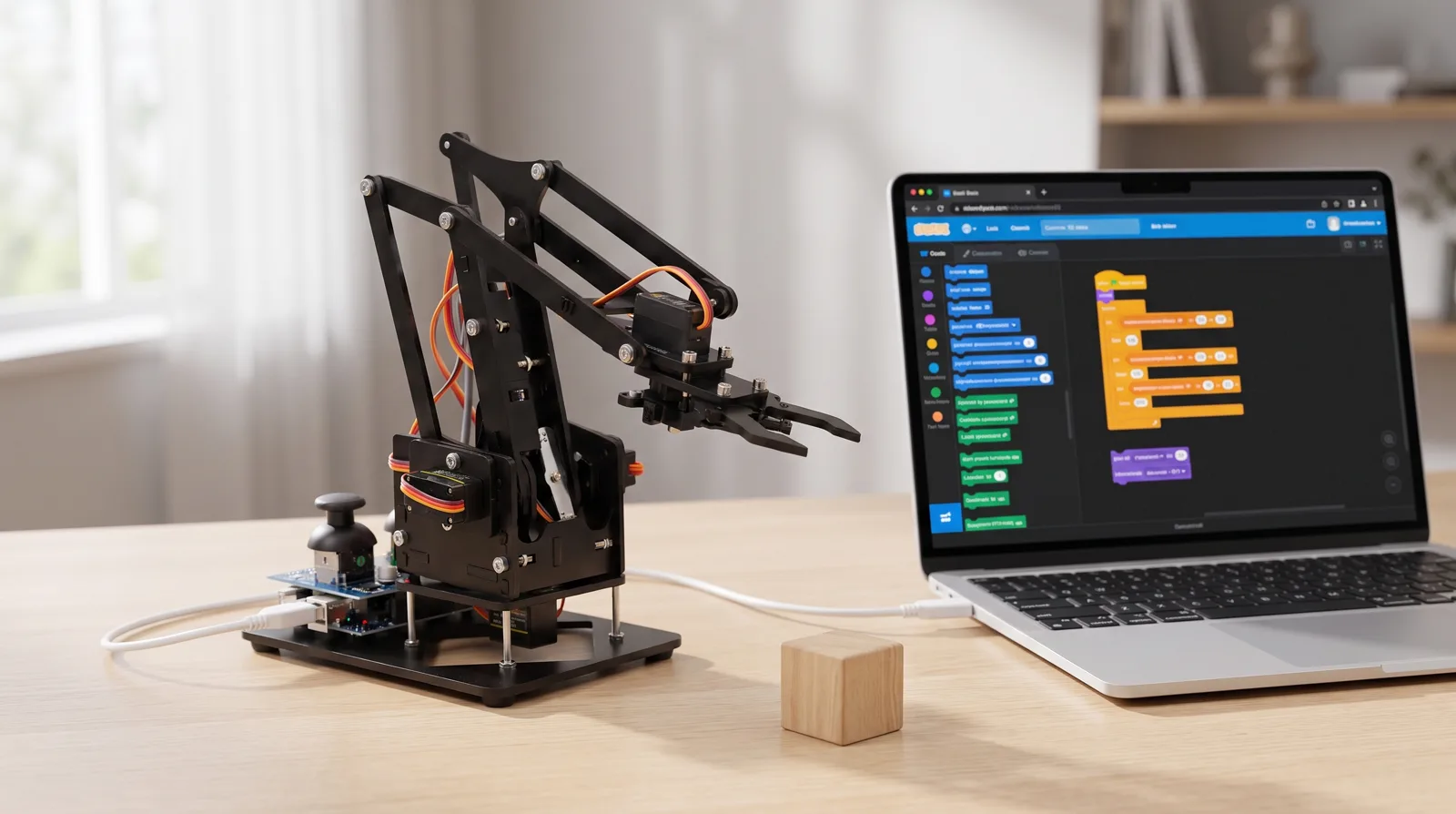
The RA01 arm on a desk beside a laptop running Arm Studio, connected by a single USB cable
One USB cable. No drivers, no IDE, no admin rights.

What you need

To drive a real arm

  • Chrome, Edge or Opera on a desktop, laptop or Chromebook
  • A USB port and the cable in the box
  • Nothing else. No drivers, no IDE, no admin rights.

To learn without one

  • Any modern browser, including Safari and iPad
  • Blocks, code, the simulator and all graded labs work
  • Only the physical arm needs Web Serial, which Safari does not have

Web Serial, the standard that lets a web page talk to a USB device, exists in Chromium browsers and ChromeOS. We say so plainly rather than discovering it at the front of a classroom.

Open it and drag something

Simulate mode is the default. There is a program already on the canvas. Press Run.

Open Arm Studio